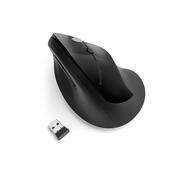
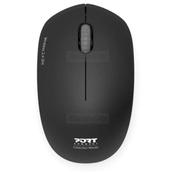
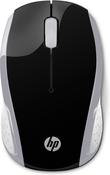
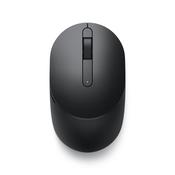
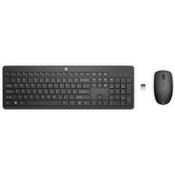
The Logitech MK270 is a keyboard-mouse combination. Thanks to the advanced 2.4GHz technology, you can enjoy a reliable, fast and wireless connection. The nano receiver has a range of up to 10 metres, so you are not tied to a fixed location. The QWERTY keyboard has a numeric part, nine F keys and several hotkeys. The mouse fits comfortably in the hand and is easy to carry thanks to its compact size. 2 AAA batteries (keyboard) and 1 AA battery (mouse) are included.
Key Features & Benefits
Reliable Wireless Connection: The advanced 2.4 GHz wireless technology provides a fast, drop-free connection up to 10 metres away. Enjoy true plug-and-play simplicity with the included USB receiver.
Exceptional Battery Life: Work longer without the hassle of changing batteries. The keyboard boasts an impressive 24-month battery life, while the mouse lasts up to 12 months. An auto-sleep feature helps conserve power when not in use.
Instant Media Access: Eight convenient keyboard shortcut hotkeys let you control your media, adjust volume, skip tracks, and access your email or internet browser instantly.
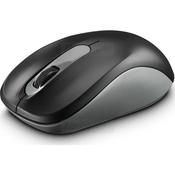
Travel-Ready Optical Mouse: The compact, carry-around mouse features smooth laser-grade tracking and a scroll wheel for effortless multitasking. It even includes an internal storage compartment to keep the USB receiver safe while on the go.
Durable & Spill-Resistant: Built to last, the keyboard features a spill-resistant design to protect against minor desktop accidents, ensuring long-lasting durability.
Technical Specifications
Compatibility: Windows® 10 or later, ChromeOS
Connectivity: 2.4 GHz Wireless (via USB receiver)
Keyboard Dimensions & Weight: 145 x 15 mm (W x D) | 510 g
Mouse Dimensions & Weight: 97 x 48 x 33 mm (H x W x D) | 81 g
Mouse Details: 3 buttons, scroll wheel, contoured design
Battery Requirements: 2 x AAA (Keyboard), 1 x AA (Mouse) - Included
Manufacturer's Guarantee: 3 Years
Box Contents: Keyboard, Mouse, USB receiver, USB range extender, AA battery x 1, AAA batteries x 2, User documentation
Frequently Asked Questions (FAQs)
How do I connect the MK270 combo to my computer?
Setup is incredibly easy thanks to plug-and-play simplicity. Just plug the included USB receiver into an available USB port on your computer or laptop, and both the keyboard and mouse will connect automatically. No special software is required.
How long do the batteries last?
The MK270 is designed for ultra-efficiency. T