
Other Offers Available








 ✓ In Stock
B2B Office Solutions
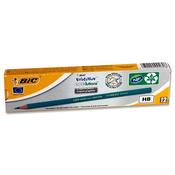
Q-CONNECT HB RUBBER TIPPED OFFICE PENCIL (PACK OF 12) KF25011
Dublin 24 dublin
- Delivery
 ✓ In Stock

Buying local has become more important than ever. Across Ireland people are searching for products and services from Irish businesses to keep their money local. If you are a local business in Ireland and 'Order Online', 'Click & Collect', 'Delivery', 'Book Online', are ways your business sells then getlocal.ie is for you. Getlocal.ie is developed in Ireland to help Irish consumers and retailers connect offering a better way to discover. getlocal.ie has been created by FCR Media Ireland.

Based in Stoneybatter Dublin, we offer digital solutions to business across Ireland to help them reach and connect with customers. We are proud to be a Guaranteed Irish company and commmited to helping our local community and providing jobs in Ireland. We have many brands serving customers nationwide, some of these you may know well, such as goldenpages.ie, Sitepro eCommerce, saymore.ie and getdomains.ie