- Home
- Directory Categories
- Electronics
- Electronics Accessories
- Wireless Ergonomic Mouse
 ✓ In Stock
Green IT
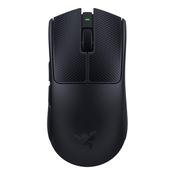
Razer Viper V4 Pro: Ultra-Light, Ultra-Fast Wireless Esports Black Gaming Mouse - As New
kildare
- Delivery
 ✓ In Stock
B2B Office Solutions
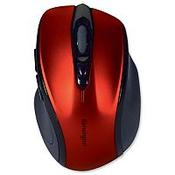
KENSINGTON PRO FIT WIRELESS KEYBOARD AND MOUSE SET K75230UK (PACK OF 1 SET)
Dublin 24 dublin
- Delivery

 ✓ In Stock
Xcellent PC
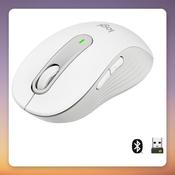
Logitech Signature M650 Wireless Mouse, White, Size M, Bluetooth and Logi Bolt
Dublin 10 dublin
- Delivery
 ✓ In Stock
Xcellent PC
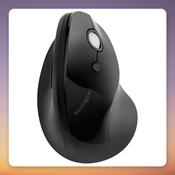
Kensington Pro Fit Ergo Vertical Wireless Mouse, Black, 1600 DPI
Dublin 10 dublin
- Delivery
 ✓ In Stock
KOS Ergonomics
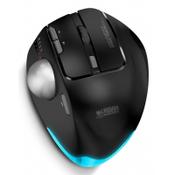
MouseTrapper Advance 2.0 | Mouse For RSI | Central Pointing Device
Dublin 2 dublin
- Delivery




 ✓ In Stock
Xcellent PC
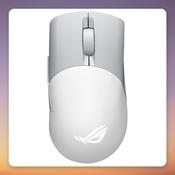
Asus ROG Keris Wireless AimPoint 36000 DPI Tri-Mode Gaming Mouse, White
Dublin 10 dublin
- Delivery

 ✓ In Stock
Xcellent PC
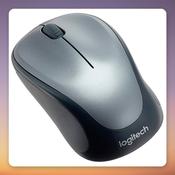
Logitech M235 Wireless Mouse, Black/Grey, 2.4 GHz USB Receiver, 1000 DPI
Dublin 10 dublin
- Delivery
 ✓ In Stock
Xcellent PC
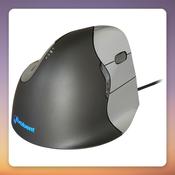
Evoluent Vertical Mouse 4 Right Hand Wired Ergonomic Mouse, 2600 DPI, Black/Grey
Dublin 10 dublin
- Delivery

 ✓ In Stock
Xcellent PC
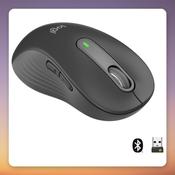
Logitech Signature M650 L Left-Handed Wireless Mouse, Graphite, Bluetooth / Logi Bolt
Dublin 10 dublin
- Delivery
 ✓ In Stock
Eurieka
Contour Design Active Key Contour ClassicClean Medical Mouse IP68 Scroll Sensor Wireless White PMH2
Dublin 15 dublin
 ✓ In Stock
Inkshop.ie
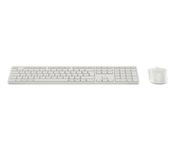
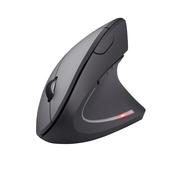
CHERRY MW 8C ERGO mouse Right-hand RF Wireless Bluetooth Optical 3000 DPI
Cork City Centre - South cork
- Delivery

 ✓ In Stock
Xcellent PC
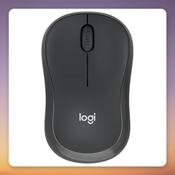
Logitech M240 Silent Wireless Bluetooth Mouse, Graphite, 4000 DPI
Dublin 10 dublin
- Delivery




 ✓ In Stock
Xcellent PC
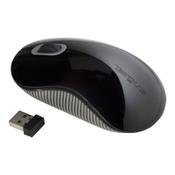
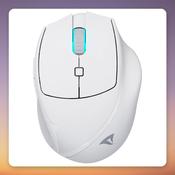
Sharkoon OfficePal M25W Wireless Mouse, White, 4000 DPI, 2.4 GHz/Wired, 50h Battery
Dublin 10 dublin
- Delivery

 ✓ In Stock
Xcellent PC
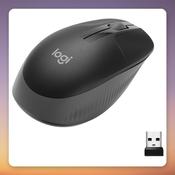
Logitech M190 Wireless Mouse, 1000 DPI, 2.4 GHz USB Receiver, Black/Charcoal
Dublin 10 dublin
- Delivery
 ✓ In Stock
Eurieka
Logitech MK950 keyboard Mouse included Office RF Wireless + Bluetooth QWERTY Nordic Graphite
Dublin 15 dublin
 ✓ In Stock
Xcellent PC
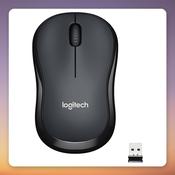
Logitech M220 Silent Wireless Mouse, Grey, 2.4 GHz USB Receiver, 1000 DPI
Dublin 10 dublin
- Delivery

 ✓ In Stock
Eurieka
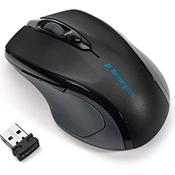
CHERRY Stream ultimate mouse Universal Right-hand RF Wireless + Bluetooth + USB Type-C 4000 DPI
Dublin 15 dublin
 ✓ In Stock
Eurieka
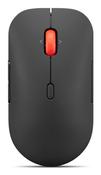
Lenovo Pro Plus 6050 mouse Office Ambidextrous RF Wireless + Bluetooth Optical 2400 DPI
Dublin 15 dublin
 ✓ In Stock
Xcellent PC
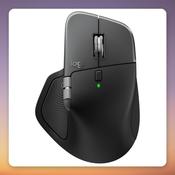
Logitech MX Master 4 for Mac Wireless Mouse, Black, Bluetooth, 8000 DPI
Dublin 10 dublin
- Delivery

 ✓ In Stock
Eurieka
eSTUFF GLB214002 mouse Office Right-hand RF Wireless + Bluetooth IR LED 1800 DPI
Dublin 15 dublin
 ✓ In Stock
MarVoy Ltd - Office Supplies
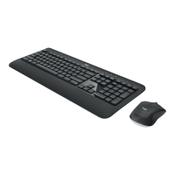
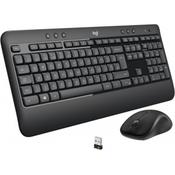
Logitech MK540 Advanced Wireless Keyboard and Mouse Combo for Windows, QWERTY US International Layout - Black
Galway City Centre galway
- Delivery
 ✓ In Stock
Eurieka
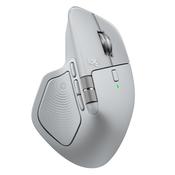
Logitech MX Master 4 mouse Office Right-hand RF Wireless + Bluetooth Laser 8000 DPI
Dublin 15 dublin
 ✓ In Stock
Xcellent PC
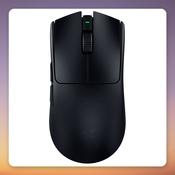
Razer Viper V3 Pro Wireless Gaming Mouse, 35000 DPI, 54 g, Black
Dublin 10 dublin
- Delivery
 ✓ In Stock
Xcellent PC
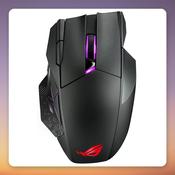
ASUS ROG Spatha X Wireless Gaming Mouse, 19000 DPI, 12 Buttons, Black
Dublin 10 dublin
- Delivery
 ✓ In Stock
Xcellent PC
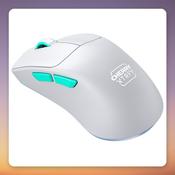
Cherry XTRFY M64 Wireless Gaming Mouse, 26000 dpi, 53 g, White/Turquoise
Dublin 10 dublin
- Delivery
 ✓ In Stock
Xcellent PC
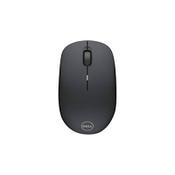
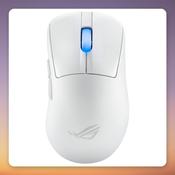
Asus ROG Keris II Ace Wireless Gaming Mouse, White, 54 g, 42000 dpi
Dublin 10 dublin
- Delivery
 ✓ In Stock
Xcellent PC
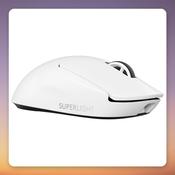
Logitech PRO X SUPERLIGHT 2 Wireless Gaming Mouse, White, 32,000 DPI, 60 g
Dublin 10 dublin
- Delivery